Most people talk to AI models the way they type into a search box: a few keywords, a vague request, and a hope that something useful comes back. Prompt engineering is the discipline of doing the opposite — designing precise, structured instructions that turn a capable model into a reliable collaborator. In 2026, this is no longer a niche skill for researchers. It is a core professional competency, as fundamental as knowing how to write a clear email or structure a spreadsheet.
This guide takes you from the fundamentals to a working professional method, with concrete examples you can copy today.
What Prompt Engineering Really Is
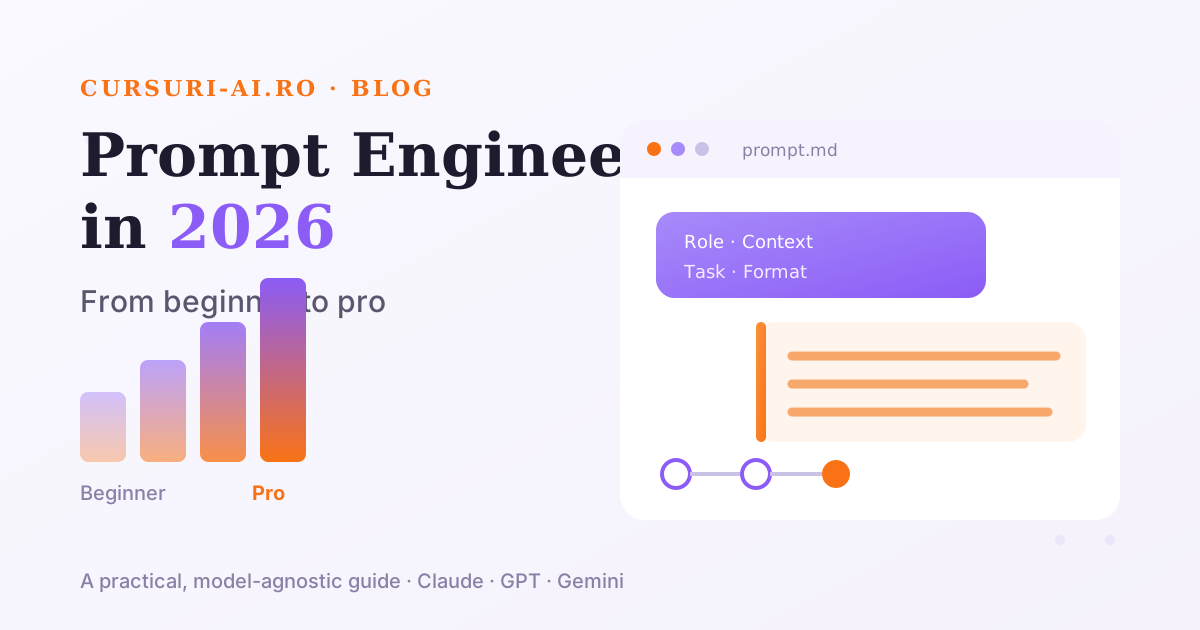
Prompt engineering is the practice of communicating with a language model so clearly that it produces the output you actually need — the first time, or close to it. It is not about memorizing magic phrases. Modern models like Claude, GPT and Gemini are extremely capable, but they cannot read your mind. They respond to what you give them: the context, the role, the task, the constraints and the desired format.
A useful mental model: treat the AI like a brilliant, fast, well-read colleague who just joined your team five minutes ago. They know a lot in general, but nothing about your specific situation. Everything you would have to explain to a new hire — the goal, the audience, the tone, the boundaries — is exactly what belongs in a good prompt.
The difference between a beginner and a pro is rarely the model. It is the quality of the instructions.
Core Techniques That Actually Work
A handful of well-established techniques cover the vast majority of real-world needs. Master these and you are already ahead of most users.
Zero-Shot and Few-Shot Prompting
Zero-shot means asking the model to perform a task without any examples — you rely purely on the instruction. This works well for common tasks the model has seen many times.
Few-shot means including a small number of examples in the prompt so the model can infer the exact pattern you want. This is one of the most reliable ways to control output style and structure.
Classify each support message as: BILLING, TECHNICAL, or FEEDBACK.

Example 1:
Message: "My card was charged twice this month."
Category: BILLING

Example 2:
Message: "The dashboard won't load on Safari."
Category: TECHNICAL

Now classify:
Message: "I really love the new reporting view."
Category:
The two examples do more work than three paragraphs of explanation ever could.
Chain-of-Thought Prompting
Chain-of-thought asks the model to reason step by step before giving a final answer. For anything involving logic, math, multi-step planning or careful analysis, prompting the model to "think through it" tends to improve accuracy, because it does not have to jump straight to a conclusion.
A team of 4 people can complete a project in 12 days.
Two more people join with the same productivity.
How many days will it now take?

Work through the reasoning step by step, then give the final answer on a separate line labeled "Answer:".
Role Prompting
Assigning a role primes the model to adopt the relevant knowledge, vocabulary and perspective. "You are a senior tax accountant reviewing this invoice" produces a very different — and usually better — result than a generic request.
You are an experienced technical editor.
Review the paragraph below for clarity and concision.
Do not change the meaning. Return the edited version, then a
one-line note explaining the single most important change.
Structured Output
When you need the result to feed into a document, a system or another prompt, ask for a specific format — JSON, a table, Markdown, or a fixed template. Being explicit removes ambiguity and makes the output predictable.
Extract the following from the email below and return valid JSON only,
with no extra commentary:
{ "sender_name": "", "requested_action": "", "deadline": "", "priority": "low|medium|high" }
The Anatomy of a Strong Prompt
Most high-quality prompts contain the same building blocks. You do not always need all of them, but knowing the list stops you from forgetting the important ones:
- Role — who the model should act as.
- Context — the background it needs to be useful.
- Task — the single, specific thing you want done.
- Constraints — length, tone, what to avoid, what to include.
- Format — the exact shape of the output.
- Examples — one or two, when the pattern matters.
Compare a weak prompt and a strong one:
Weak:  Write a follow-up email to a client.

Strong: You are a B2B account manager. Write a follow-up email (max 4
sentences, warm but direct) to a client who hasn't replied to a proposal
sent 7 days ago. Include one clear call to action for a 15-minute call
next week. Sign off as "Alex, Partnerships".
The strong version leaves almost nothing to chance — which is the whole point.
Common Mistakes Beginners Make
- Being vague. "Make it better" gives the model nothing to optimize toward. Say what "better" means: shorter, more formal, more specific.
- Overloading a single prompt. Ten unrelated instructions in one message produce muddled output. Break complex work into steps.
- Forgetting the audience. "Explain quantum computing" and "explain quantum computing to a 12-year-old" are different tasks.
- Assuming the model remembers everything. In a long conversation, restate key constraints when they matter.
- Trusting output blindly. Models can produce confident, well-written, incorrect information. Always verify facts, figures and citations against reliable sources.
- Never iterating. Your first prompt is a draft. Read the output, spot what is off, and refine the instruction. Prompting is a loop, not a lottery.
A 30-Day Path From Beginner to Pro
You do not need months. A focused month of deliberate practice moves most professionals from casual user to confident practitioner.
Days 1–7 — Foundations. Rewrite your everyday requests using the Role–Context–Task–Constraints–Format structure. Notice how much output quality depends on the instruction, not the model.
Days 8–14 — Techniques. Practice zero-shot, few-shot, chain-of-thought and role prompting on real tasks from your job. Keep a personal file of prompts that worked.
Days 15–21 — Structure and reliability. Focus on structured output and iteration. Learn to get JSON, tables and templates on demand, and to refine a prompt in two or three passes.
Days 22–30 — Real workflows. Chain prompts together for multi-step tasks: draft, critique, revise. Build a small library of reusable prompt templates for the work you do every week.
The gap between someone who "uses ChatGPT" and someone who masters AI is the same as the gap between someone who can open a spreadsheet and a real data analyst. The tool is identical — the skill is what creates the difference.
Tools of the Trade
You can practice prompt engineering directly in any major model's interface — Claude, ChatGPT (GPT) or Gemini. For serious work, a few habits help: keep a running document of prompts that worked, use a model's "projects" or system-instruction features to set persistent context, and compare the same prompt across two models to understand their different strengths. Beyond single prompts, the frontier is context engineering — designing what information an AI agent has access to and how it remembers across a task — which is where prompting scales into building real applications.
Where to Go Next
Prompt engineering is the entry point to a much larger set of AI skills. If you want a structured, guided path rather than endless experimentation, a dedicated program compresses months of guesswork into a clear curriculum. Explore The Complete Prompt Engineering Masterclass to build the fundamentals systematically, then move to Context Engineering and Memory for AI Agents when you are ready to go beyond prompting toward building agents.
You can browse the full English course catalog to see the complete learning tracks, and review the pricing and plans to find the access that fits your goals.
Prompt engineering rewards practice more than talent. Write, read the output, refine, repeat — and within a month the difference in your results will be obvious.
Frequently Asked Questions (FAQ)
Do I need to be technical to learn prompt engineering? No. Prompt engineering is fundamentally about clear communication and structured thinking, not coding. Professionals in marketing, HR, finance, law and operations benefit as much as developers. The core techniques — role prompting, few-shot examples, chain-of-thought, structured output — require no programming at all. What helps is the discipline to be specific, to define the audience and format, and to iterate on your instructions until the output is right.
Does prompt engineering work the same across Claude, GPT and Gemini? The core principles transfer across all major models: clear context, a defined role, a specific task, explicit constraints and a requested format improve results everywhere. That said, models have different strengths and default styles, so the same prompt can produce noticeably different output. A practical habit is to test an important prompt on two models and keep the version of your instruction that works best for each. Prompting is model-agnostic in principle and model-aware in practice.
How long does it take to become good at prompt engineering? Most professionals reach a confident, practical level within about a month of deliberate practice — roughly the 30-day path outlined above. The foundations take only days: structuring prompts with role, context, task, constraints and format. Real fluency comes from applying the techniques to your own daily work, keeping a library of prompts that worked, and refining rather than restarting when the first output misses. Mastery is ongoing, but useful competence arrives quickly.
Is prompt engineering still a useful skill as models get smarter? Yes. Better models raise the ceiling of what is possible, but they still respond to the quality of your instructions. A capable model given a vague request produces a vague result. As AI moves into agents and multi-step workflows, the skill evolves from single prompts toward context engineering — deciding what information the AI has and how it uses it — which makes structured, precise communication more valuable, not less.

The course that continues this article
The Complete Prompt Engineering Masterclass
You have read the theory. In the course you put it into practice: written lessons structured in modules, with examples and exercises, quizzes, the AI Professor in every lesson and progress saved automatically. Once you complete the lessons and reach the minimum quiz score, you get the Certificate of Completion, a private attestation.
From the course syllabus
- Prompt Engineering Fundamentals
- Advanced Prompting Techniques
- Multi-Modal Prompt Engineering
- Prompt Engineering for AI Agents
+ 6 more modules in the full syllabus
€99 per month for this course, VAT included · or €399 per month for all 25 IT Pro courses (see what you learn across the whole track).
Monthly subscription with automatic renewal · stop the renewal anytime from your account · digital content with immediate access, see the withdrawal conditions. The certificate confirms that you completed the course and is private: it is not a diploma or a state-recognised qualification.